# 문구 강조형 배너

## 1. 문구 강조형 배너란?

<figure><img src="/files/u3Q3D09w0dYEJTEctCxQ" alt=""><figcaption></figcaption></figure>

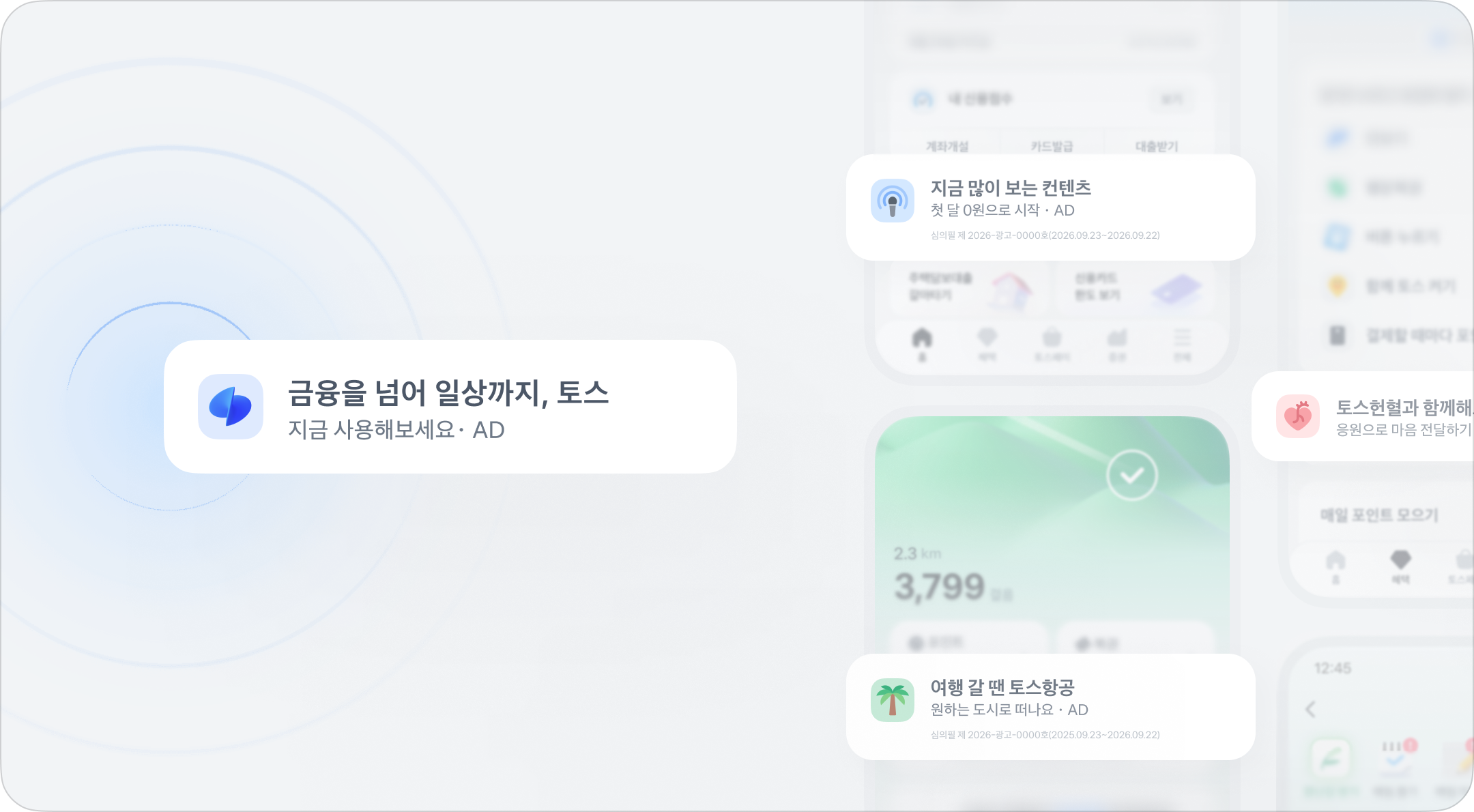
이미지와 문구로 이루어진 가로형 배너예요.\
토스 앱에서 가장 많은 노출 지면을 가지고 있어요.

## 2. 소재 만들기

### 2-1. 형식 가이드

<figure><img src="/files/0Pg9qNH22LmCd1vBrOdn" alt=""><figcaption></figcaption></figure>

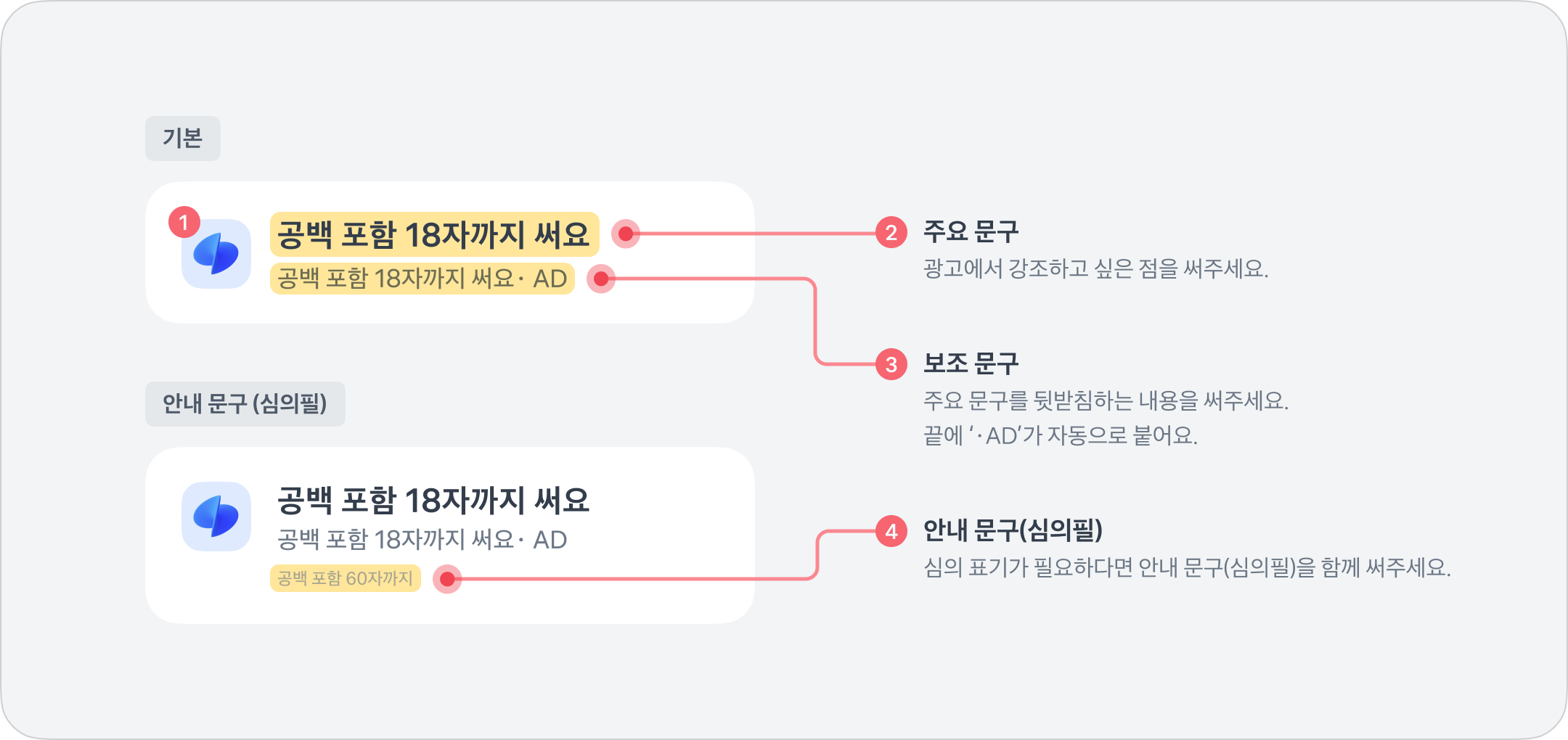
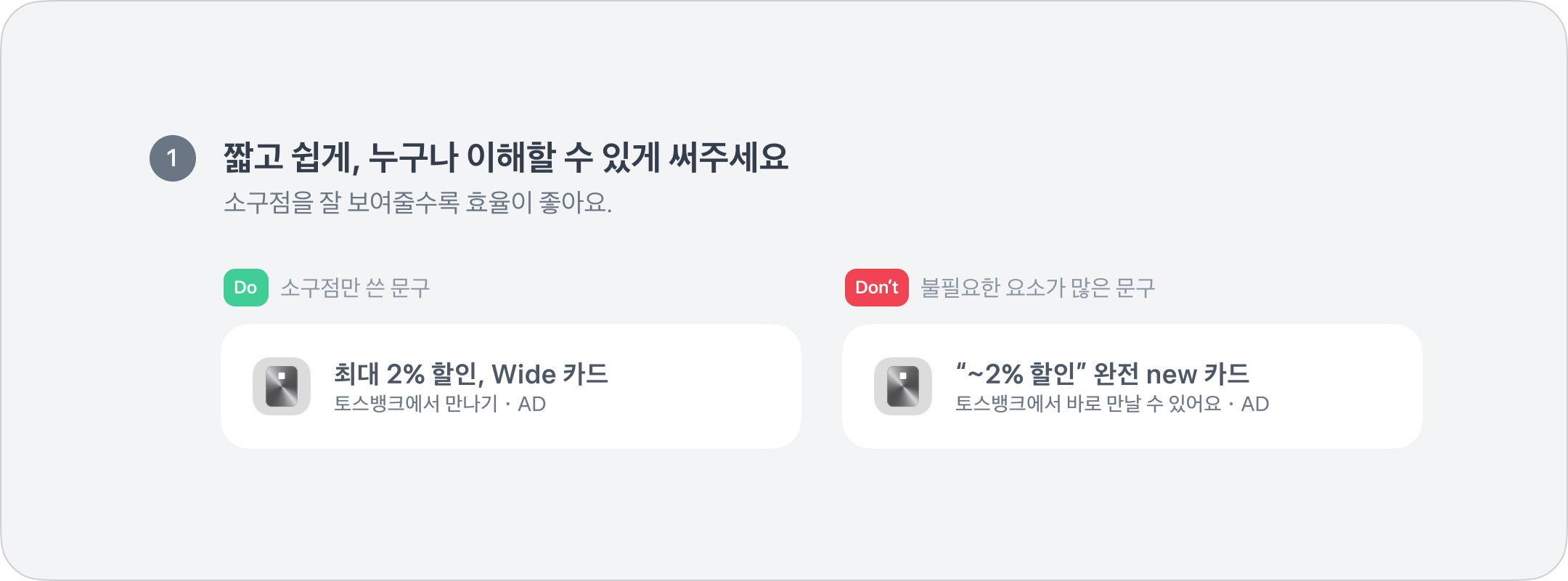
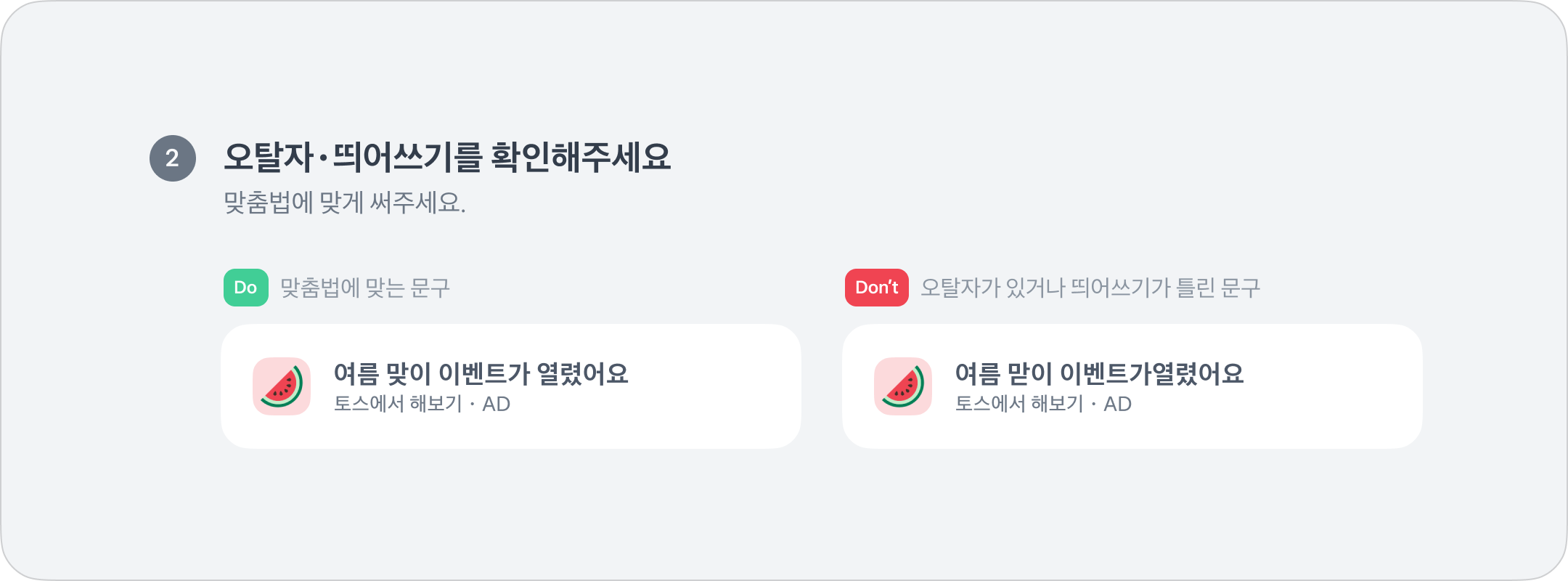
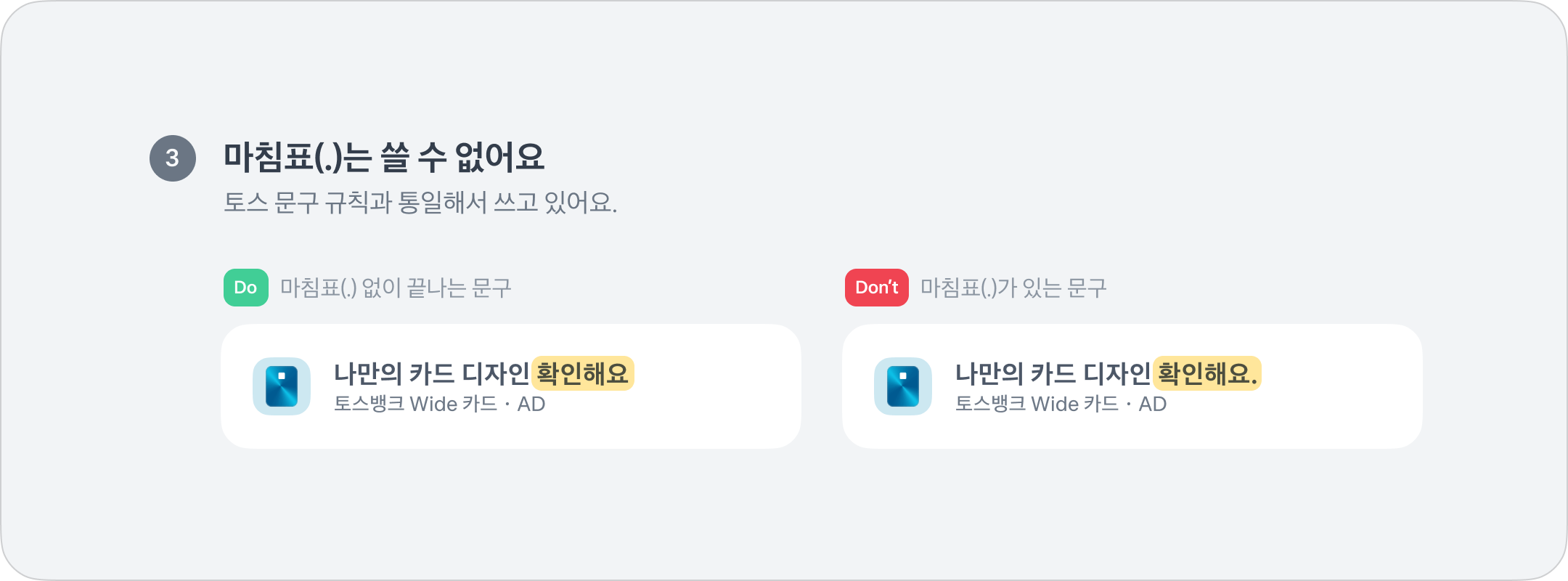
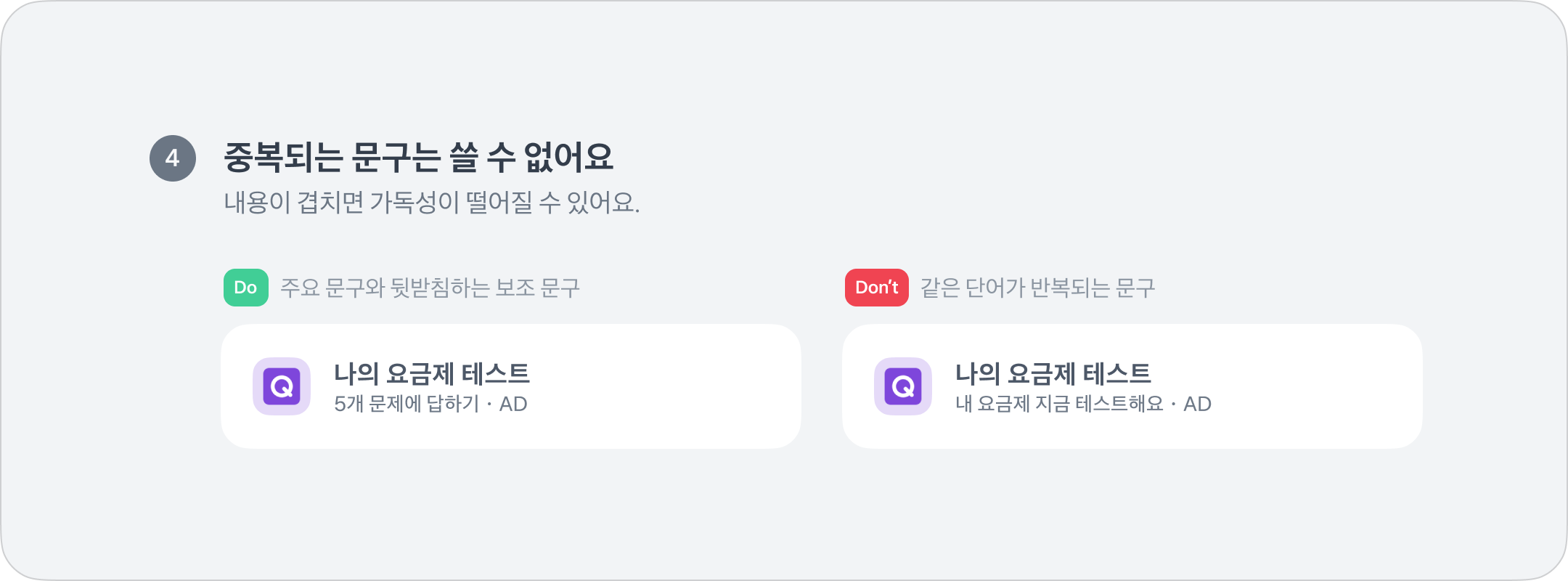
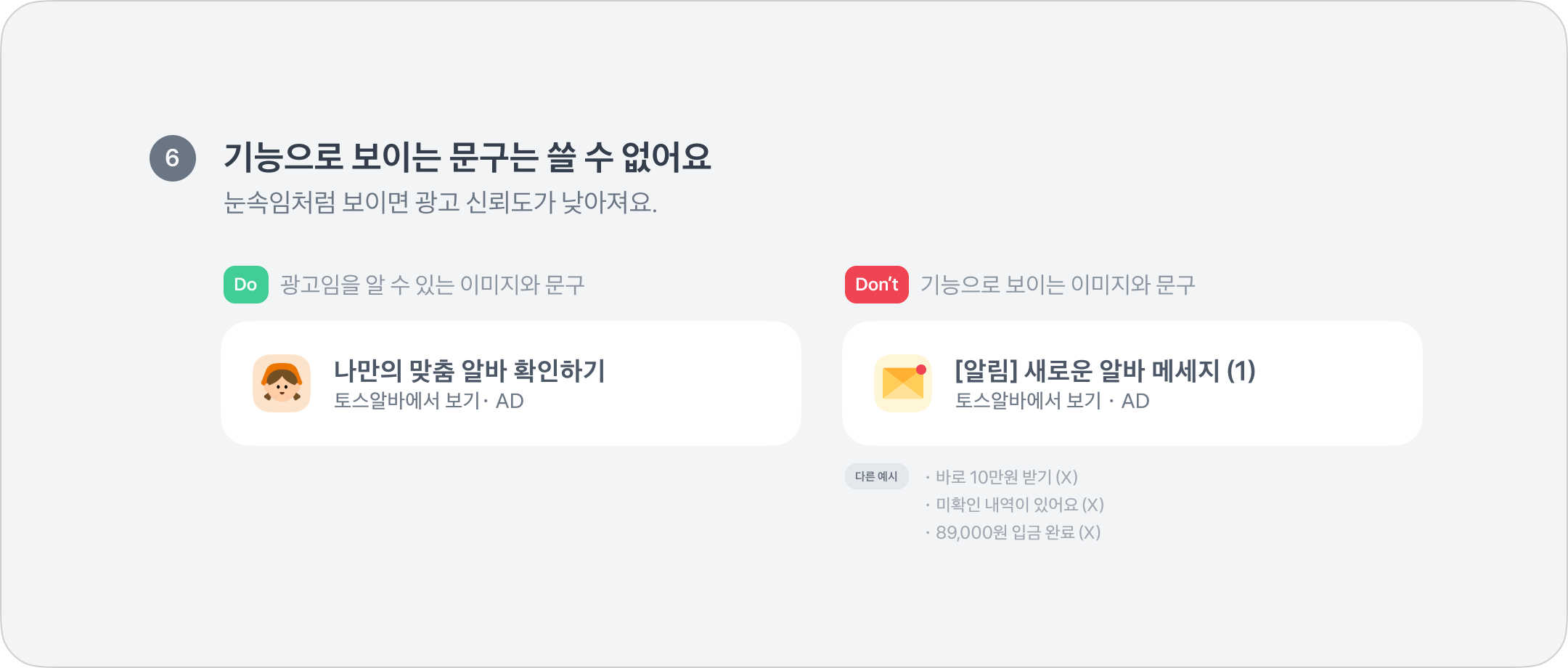
<table><thead><tr><th width="218.09375">구분</th><th width="529.90625">내용</th></tr></thead><tbody><tr><td>❶ 브랜드 이미지</td><td><ul><li><a href="https://toss-ads.gitbook.io/guide/ad/banner/creative/logo">브랜드 이미지 가이드</a> 참고</li></ul></td></tr><tr><td>❷ 주요 문구</td><td><ul><li><strong>공백 포함 최소 5자~최대 18자</strong></li></ul></td></tr><tr><td>❸ 보조 문구</td><td><ul><li><strong>공백 포함 최소 5자~최대 18자</strong></li></ul></td></tr><tr><td>❹ 안내 문구 (심의필)</td><td><ul><li><strong>공백 포함 최대 60자</strong></li><li><a href="https://toss-ads.gitbook.io/guide/policy/industryguide">업종별 심사 가이드</a>에 따라 심의필 제출이 필수인 경우, 안내 문구란에 작성하면 자동 반영</li></ul></td></tr><tr><td>문구 공통</td><td><ul><li>혜택・정보가 드러나는 문구</li><li><strong>명사형</strong> 또는 <strong>~해요체</strong>로 기재</li><li>이미지가 로고가 아닌 경우, 문구에 브랜드명 표기 필수</li><li>문구 끝에 마침표(.) 사용 불가</li><li>평어체(반말) / 맞춤법에 어긋나는 표현 / 시조어, 밈 / 초성 사용 불가</li></ul></td></tr><tr><td>AD 표기</td><td><ul><li>보조 문구 끝에 "・AD" 자동으로 적용</li></ul></td></tr></tbody></table>

### 2-2. 연결 URL 가이드

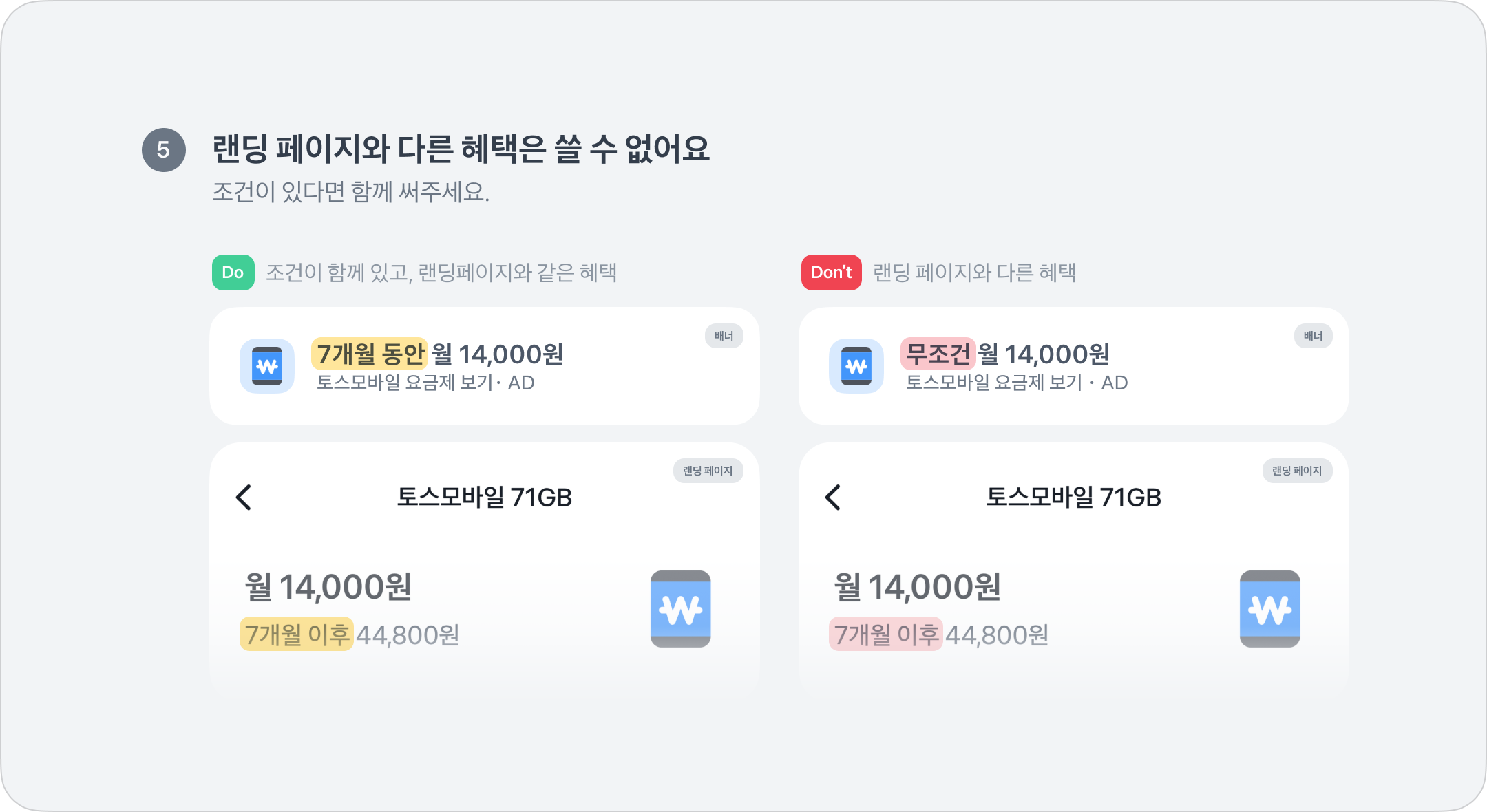
<table><thead><tr><th width="262.140625">조건</th><th width="495.421875">내용</th></tr></thead><tbody><tr><td>유저가 접속할 때 이상이 없어야 함</td><td><ul><li>앱으로 랜딩 된다면, 앱 미설치 유저는 앱 스토어・플레이스토어로 랜딩</li><li>접속하는데 5초 이상 걸리는 경우, 브릿지 페이지 제작</li></ul></td></tr><tr><td>랜딩 / 이벤트 페이지의 내용과 소재 내용이 일치해야 함</td><td><ul><li>랜딩 페이지에서 확인할 수 없는 햬택 및 정보는 반려</li><li>가입, 응모와 같이 조건부 혜택은 광고 문구 내에 반드시 명시</li></ul></td></tr><tr><td>URL 주소는 반드시 영문으로 제출</td><td><ul><li>주소에 한글이 있는 경우에는 오류가 발생할 수 있음</li><li>링크 내에 <code>{ } ^ #</code> 문구가 있으면 반려될 수 있음</li><li>^ 대신 _(언더바) 사용 권장</li><li><code>http://</code>는 사용 불가 → <code>https://</code> 사용 권장</li></ul></td></tr><tr><td>URL 축약 불가</td><td><ul><li>앱플라이어로 만든 윈링크의 경우, 피라미터가 단축되지 않은 원본 제출</li><li>숏 링크 / 단축 URL 불가(비틀리 포함)</li></ul></td></tr><tr><td>기타</td><td><ul><li>이 외의 사유로 문제가 있는 경우, 연결 URL 수정 요청을 할 수 있음</li><li>그 외 공통으로 적용되는 규정은 <a href="https://toss-ads.gitbook.io/guide/policy/creativeguide">소재 심사 규정</a> 참고</li></ul></td></tr></tbody></table>

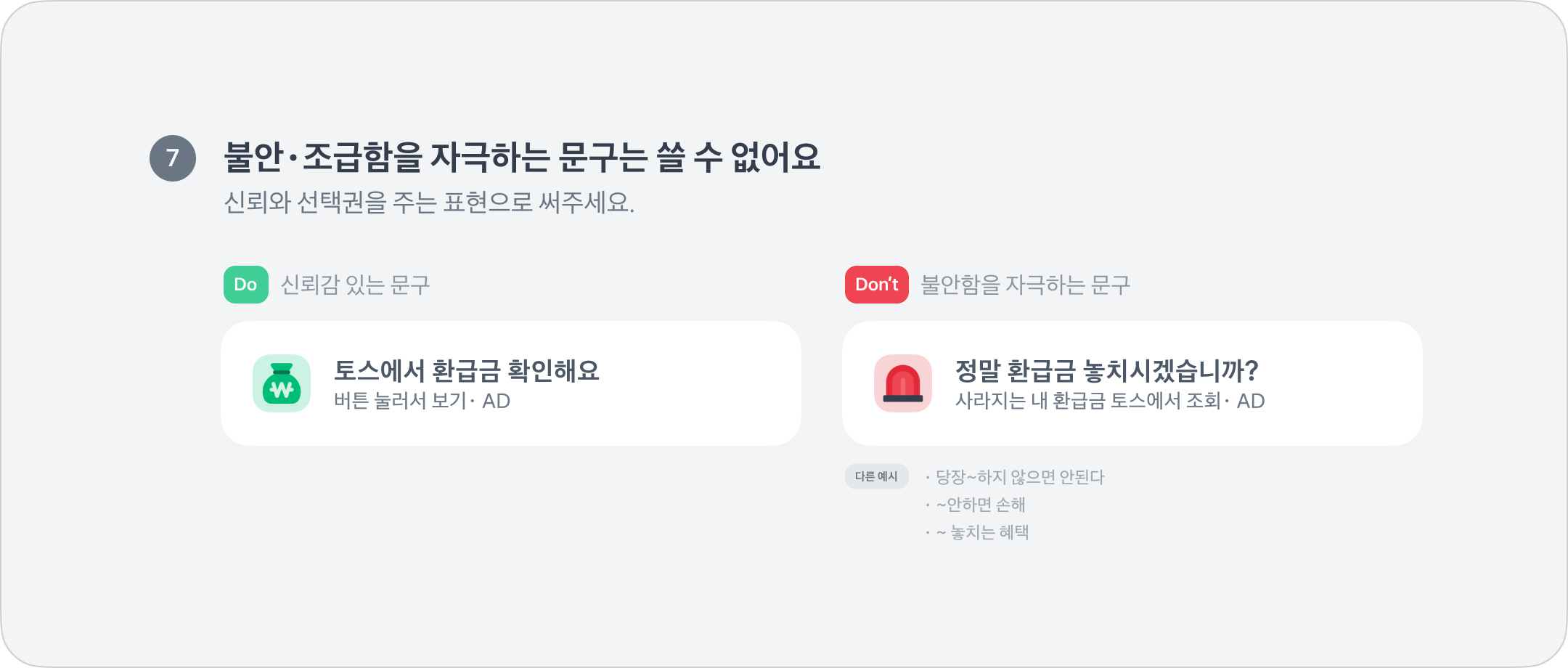
### 2-3. Do / Don't 예시

<figure><img src="/files/gaPfukokxXtXpGuWPKTN" alt=""><figcaption></figcaption></figure>

<figure><img src="/files/AI6iq9gcOsYBR71NrAdC" alt=""><figcaption></figcaption></figure>

<figure><img src="/files/5PuToPBZ8O6G09CW5jOE" alt=""><figcaption></figcaption></figure>

<figure><img src="/files/wFKnAPLrcNuFI0yRHsSv" alt=""><figcaption></figcaption></figure>

<figure><img src="/files/f58TwsNH8pV52l13nOeN" alt=""><figcaption></figcaption></figure>

<figure><img src="/files/MPDA8u9CwURuxuZI5DQd" alt=""><figcaption></figcaption></figure>

<figure><img src="/files/ZDGqwDqzQ47C1oLheKBo" alt=""><figcaption></figcaption></figure>

## 3. 소재 올리기

### 3-1. 유형 고르기

<figure><img src="/files/LUGDsC4qz8ZbIw1gcfxW" alt=""><figcaption></figcaption></figure>

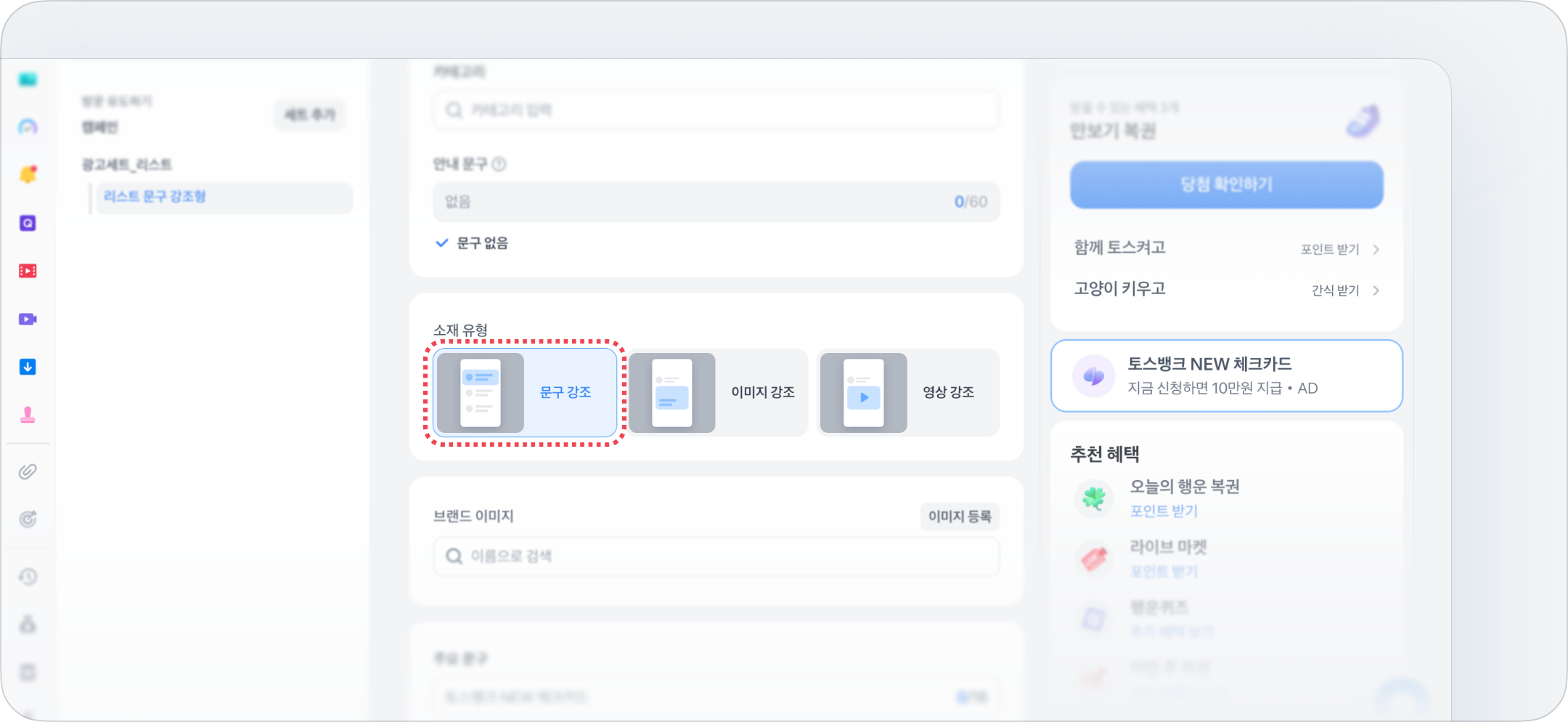
광고 유형 : 리스트 배너 → 소재 유형 \[문구 강조]를 선택해 주세요.

### 3-2. 소재 업로드

<figure><img src="/files/hagupuiecZTNFtDbFjkp" alt=""><figcaption></figcaption></figure>

<figure><img src="/files/sN83x2P8NHHW1Z7zRHTm" alt=""><figcaption></figcaption></figure>

<figure><img src="/files/d1JEiowQVwPMQF5GkZqJ" alt=""><figcaption></figcaption></figure>

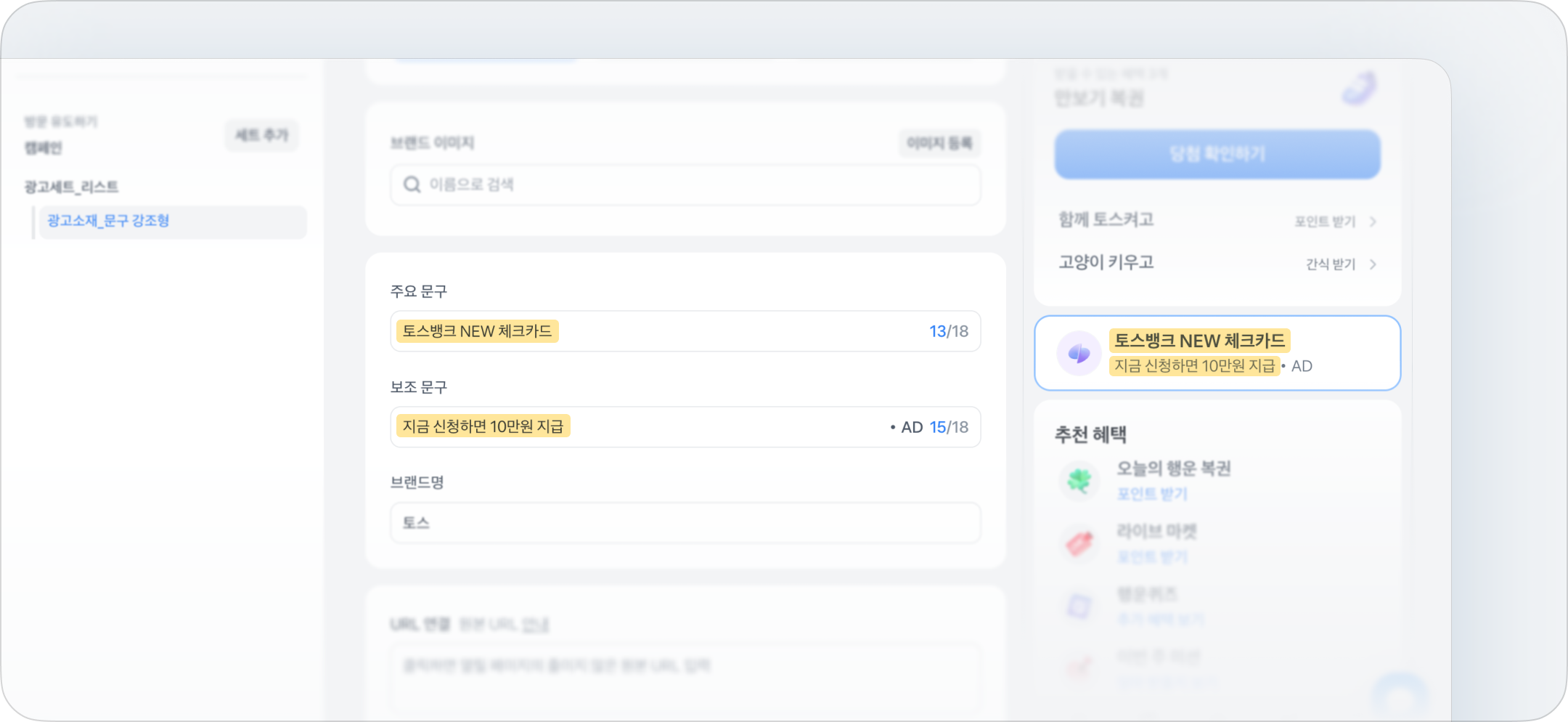
준비한 브랜드 이미지를 올리고, 형식에 맞게 주요 문구와 보조 문구를 써주세요.

{% hint style="info" %}
궁금한 점이 있다면, [토스 비즈니스 채널톡](https://toss-business.channel.io/) 혹은 담당자를 통해 문의해 주세요.
{% endhint %}


---

# Agent Instructions: Querying This Documentation

If you need additional information that is not directly available in this page, you can query the documentation dynamically by asking a question.

Perform an HTTP GET request on the current page URL with the `ask` query parameter:

```
GET https://toss-ads.gitbook.io/guide/a-d/banner/creative/list.md?ask=<question>
```

The question should be specific, self-contained, and written in natural language.
The response will contain a direct answer to the question and relevant excerpts and sources from the documentation.

Use this mechanism when the answer is not explicitly present in the current page, you need clarification or additional context, or you want to retrieve related documentation sections.